


Geriatrics At Your Fingertips
4.96.00 Reviews
App Specs
- Version
- 6.9.0.839
- Updated On
- License
- Free
- Downloads
- 10,000+
- Developer
- American Geriatrics Society
- Categories
- Medical
- Platform
- Android
Screenshots
 Analysis by AppCompare
Before relying on any clinical reference, I like to know what job it is meant to do. Geriatrics At Your Fingertips is a medical app from the American Geriatrics Society, aimed at people who care for older adults. I’d approach it as a focused reference to consult during a care question, not as a replacement for clinical judgment, a full medical record, or a conversation with a patient’s care team. That distinction makes the first visit less intimidating: you can open it with one question in mind and see whether its material helps you think through the next step.
What to expect from a focused geriatrics reference
The app is free to install, rated for Everyone, and has an average rating of 4.8 from around 150 ratings, with over 10,000 installs. It has been available since 2014, and version 6.8.0.832 is listed for devices running Android 8.0 or later. I’d still treat a clinical reference as something to check against current professional guidance rather than assuming that an app alone settles a difficult decision. Some in-app items cost $19.99 each, so I would check what is included before making any purchase.
My first-time-user advice is to arrive with a practical question rather than trying to read everything in order. Geriatrics spans medication concerns, chronic conditions, and day-to-day care decisions; a reference is most useful when it helps you narrow a real problem. If you are a family member looking for a simple explanation of a diagnosis, you may find a clinician-facing resource more technical than you need. If you work in healthcare, though, a focused reference can be a useful place to orient yourself before discussing a case or checking a detail through your usual professional sources.
First Impressions
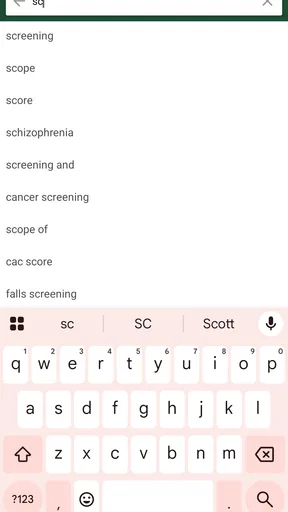
The moment I opened Geriatrics At Your Fingertips, I was greeted with a clean, user-friendly interface that felt intuitive right from the get-go. No clutter, no unnecessary frills—just a straightforward design that gets you where you need to go. I think we can all agree that when it comes to medical apps, simplicity is key. I could easily navigate through menus and find the information I was looking for without any hiccups.
Comprehensive Content
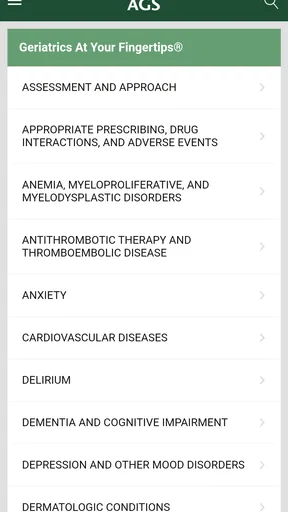
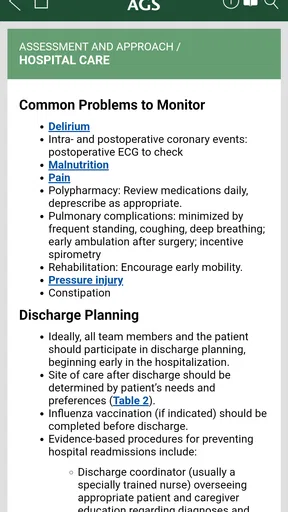
One of the standout features of this app is its extensive database. It’s like having a pocket-sized encyclopedia of geriatric care. The app covers a wide range of topics, including medication management, chronic disease treatment, and patient care strategies. Each section is detailed, offering evidence-based guidelines that are incredibly helpful for practitioners and caregivers alike.
But it’s not just about the breadth of content. The app also provides quick access to critical information. Need to check the side effects of a particular medication? Or maybe you’re looking into the best practices for managing dementia? It’s all there, just a few taps away.
Finding a first useful answer
For a first meaningful session, I would pick one narrow question—such as what to review when a medicine concern comes up—then follow the relevant topic rather than browsing at random. A useful result is not simply finding a passage; it is identifying what needs checking next, what context matters, and what should be raised with the clinician responsible for the person’s care. I would keep the patient’s age, conditions, current medicines, and care goals in view while reading, because general guidance cannot account for every individual detail.
Worth Reading Before You Choose

Flipboard Shows What News Apps Must Do Beyond the Feed

Switching to Android Auto Means Rethinking Your Driving Routine

Google Calendar Makes a Crowded Week Easier to Manage

Ludo King Makes the Most of the Minutes Between Plans

Baby Panda World Brings Quick Play to Modern Phones, but Its Game Library Feels Busy

ESPN’s Live Game View Makes Following Close Games Easier
That workflow also helps avoid a common trap with medical references: treating a concise answer as a personal instruction. Use the app to support a discussion or organize your thinking, not to change a dose or treatment plan on your own. For a caregiver, the best first success may be leaving with a clearer question for an appointment. For a clinician, it may be a prompt to verify a point in a fuller source before acting.
Practical Tools
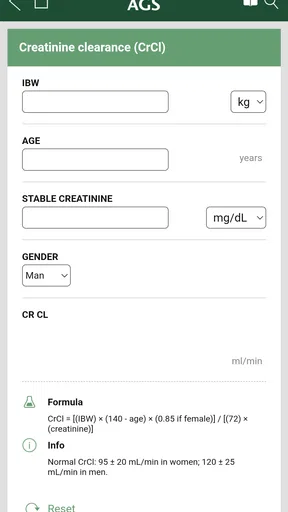
Beyond the wealth of information, the app includes several practical tools that make daily tasks easier. One feature I found particularly nifty is the medication calculator. It’s designed to help you determine the correct dosages based on specific criteria, which is incredibly useful in preventing medication errors—something that’s crucial in geriatric care.
There’s also a built-in decision-support tool, which assists in evaluating clinical scenarios. This is a real game-changer for medical professionals who need to make informed decisions on the fly. It’s like having a seasoned colleague right there in your pocket, ready to offer advice at a moment’s notice.
Using tools without over-relying on them
A calculator or decision aid is most valuable when its result can be checked against the person’s full clinical picture. Before using a medication calculation, I would confirm that the inputs and units match the question in front of me, then have an appropriate professional verify any consequential result. A tool can make a step more organized, but it cannot supply missing patient history or replace a pharmacist’s or prescriber’s judgment.
In an everyday setting, imagine a clinician reviewing a medication question between appointments. The app can help them find a relevant reference point and frame a follow-up, while the patient’s chart, current guidance, and clinical conversation remain essential. That is a better use than trying to solve a complicated case in a hallway from one screen. It is also a useful way for a caregiver to prepare questions before a visit, rather than attempting to make an independent treatment decision.
Common points of confusion
The main distinction to keep clear is that a broad geriatric reference is not the same thing as an individualized care plan. Topics such as medication management and dementia care are useful starting points, but recommendations can depend on a person’s diagnoses, other medicines, preferences, and circumstances. If a passage seems to conflict with advice from the care team, I would pause and ask the team to explain the difference instead of choosing whichever answer is easiest to find.
Another practical consideration is payment. Although the app itself is free, some in-app purchases are listed at $19.99 per item. I would explore what is available at no cost first and decide whether a paid item addresses a specific need before buying it. That matters especially for someone who only wants an occasional reference; a professional who expects repeated use may judge the value differently.
Mobility and Accessibility
Given that it’s available on both Android and iOS, the app ensures that you have access to essential geriatric care information wherever you go. Whether you’re in the hospital, at a patient’s home, or even out and about, the app’s portability is one of its greatest assets. Plus, it doesn’t require a constant internet connection, which is perfect for those times when you’re in a location with spotty service.
That portability is most helpful when it complements, rather than competes with, established resources. A general web search may be faster for a broad question, but it can return material of uneven quality and leave you sorting through pages. A specialist textbook or institutional reference may provide more depth and context, yet can be less convenient to consult in the moment. I see this app’s strongest role between those extremes: a pocket-sized geriatrics reference for orientation, followed by verification when the decision is important.
Who will get the most from it
I’d recommend it most to clinicians and other healthcare providers who regularly encounter older adults and want a geriatrics-focused reference close at hand. It may also help experienced caregivers who are comfortable with medical language and want to prepare for a more informed conversation with a professional. A student or newer practitioner could use a focused resource to structure questions, but should pair it with teaching, supervision, and deeper references rather than treating it as a complete course.
It is less suitable for someone seeking emergency instructions, a diagnosis based on symptoms, or a personalized plan for a relative. In an urgent situation, contact local emergency services or the relevant healthcare professional instead of searching through a reference. If your main need is plain-language education tailored to one patient, ask that person’s clinician for an appropriate resource; the app’s medical focus may not be the clearest route for every family member.
Ongoing Updates
Another aspect that sets this app apart is its commitment to staying current. The developers seem to be on top of their game, providing regular updates to ensure that the information remains accurate and relevant. In a field as dynamic as healthcare, this is crucial. It gives me peace of mind knowing that I’m always looking at the most up-to-date guidelines and recommendations.
A sensible next step
After installing it, I would first check that the device meets the Android requirement, then open a topic tied to a question I actually expect to face. I’d explore the available sections before deciding whether any paid material is worthwhile, and keep a trusted clinical source nearby for cross-checking. This simple routine gives a new user a low-pressure way to judge whether the organization and level of detail suit their work without mistaking convenience for completeness.
My overall view is positive, with an important boundary: this is best treated as a support for informed care, not as the final authority in a complex case. Its focused subject matter is the reason to choose it over a general health app, while a comprehensive clinical reference may be the better choice when you need extensive context or a highly specific protocol. The right option depends on whether you need quick orientation or a deeper, patient-specific answer.
Final Thoughts
After spending some quality time with Geriatrics At Your Fingertips, I can genuinely say that it’s a fantastic resource for anyone involved in geriatric care. Whether you’re a healthcare professional or a caregiver, this app offers invaluable insights and tools that make managing older adult care more efficient and effective.
So, if you’re someone who’s passionate about improving the quality of life for seniors, I’d highly recommend giving this app a try. It’s like having a trusted advisor with you at all times, ready to provide guidance and support when you need it most. Happy caregiving!
Pros
- Comprehensive resource for geriatric care.
- Easy navigation for quick information access.
- Regular updates with the latest guidelines.
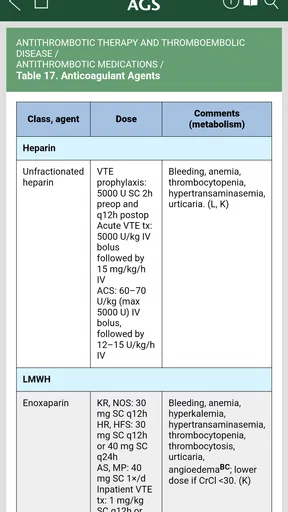
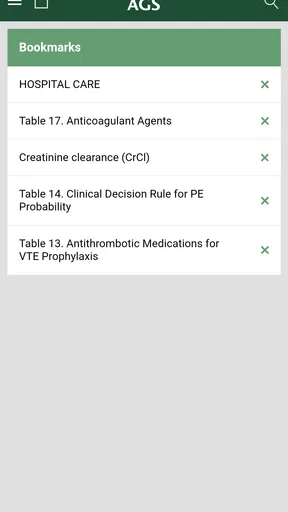
- Includes practical clinical tools and tables.
- Offline access for use without internet.
Cons
- Limited to geriatric-specific information.
- Requires purchase; not free to use.
- Interface may feel outdated to some users.
- Lacks interactive features like videos.
- Not available for non-mobile platforms.
FAQs for Geriatrics At Your Fingertips
What is 'Geriatrics At Your Fingertips' and who is it designed for?
'Geriatrics At Your Fingertips' is an app aimed at healthcare professionals who work with elderly patients. It serves as a comprehensive resource for geriatric care, providing quick access to guidelines, treatment options, and drug information. The app is particularly useful for doctors, nurses, and caregivers seeking reliable, up-to-date information.
Is 'Geriatrics At Your Fingertips' available on both Android and iOS platforms?
Yes, 'Geriatrics At Your Fingertips' is available for download on both Android and iOS devices. Users can find it on the Google Play Store for Android devices and the Apple App Store for iOS devices, ensuring accessibility across different platforms for healthcare professionals.
Does the app require an internet connection to access its features?
While 'Geriatrics At Your Fingertips' offers offline access to certain features, an internet connection is required for updates and accessing some of the more dynamic content. This ensures that users have the most current information, but they can still rely on the app when offline for essential content.
Are there any costs associated with downloading or using the app?
'Geriatrics At Your Fingertips' typically requires a purchase or subscription to access its full range of features. Users should refer to the app's page on their respective app store for detailed pricing information, as costs can vary based on the subscription model and available offers.
What are some of the key features of 'Geriatrics At Your Fingertips'?
The app includes a variety of features such as detailed drug information, guidelines for geriatric care, and interactive tools for patient assessment. It also provides quick access to the latest research and clinical recommendations, making it an invaluable tool for professionals working with the elderly.


